
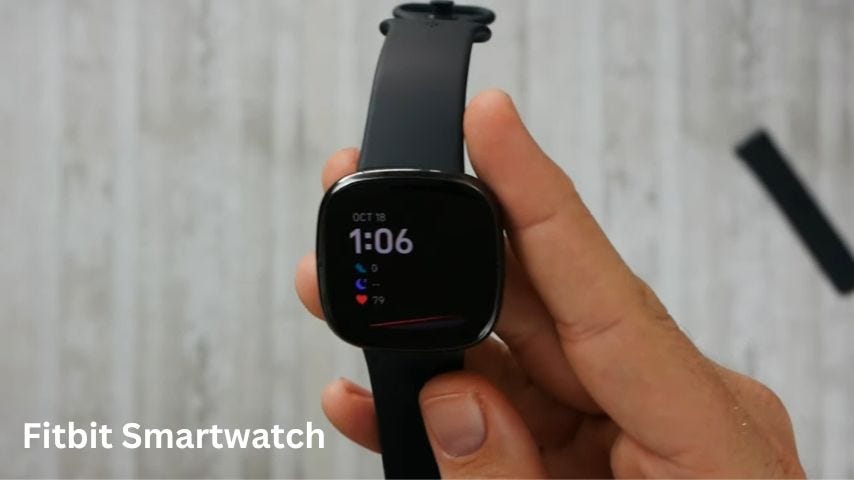
Have you ever reached for your Fitbit only to realize it’s nowhere to be found? That sudden moment of panic is all too familiar.
Your Fitbit tracks your steps, monitors your heart rate, and keeps your health goals on track. Losing it can feel like losing a part of your daily routine. But don’t worry—you’re not alone, and finding your missing Fitbit might be easier than you think.
You’ll discover simple, effective ways to locate your device quickly. Keep reading, and you’ll be back to tracking your progress in no time.
Common Places To Check
Losing your Fitbit can be frustrating. Before you worry, check common spots first.
Fitbits are small and easy to miss. They often hide in usual places.
Around Your Home
Your Fitbit may be near places you often take it off. Look carefully in these spots.
- On your bedside table or under your pillow
- In the bathroom near the sink or shower
- On kitchen counters or dining tables
- Between couch cushions or under furniture
- In laundry baskets or clothing pockets
Work And Gym Spots
You may leave your Fitbit at work or gym. Check common places you visit there.
- On your desk or in your work bag
- In the locker room or gym lockers
- Near gym equipment or workout mats
- In your car after gym sessions
- In pockets of clothes worn at work or gym
Recent Travel Locations
Travel can make you lose track of your Fitbit. Check places you stayed or visited.
- Hotel room drawers or bedside tables
- Suitcases or travel bags
- Car seats or under the car seats
- Places you rested during trips, like parks or cafes
- Airport lounges or waiting areas

Credit: m.youtube.com
Using The Fitbit App
The Fitbit app helps you track your fitness and find your device. It works with your Fitbit device to show data and location.
You can check your Fitbit’s last known place and make it ring if nearby. The app is easy to use for these tasks.
Syncing Your Device
Syncing connects your Fitbit to the app. It updates your activity data and device status.
Keep Bluetooth on your phone active. Open the Fitbit app and wait for syncing to start automatically.
- Open the Fitbit app on your phone
- Make sure Bluetooth is turned on
- Your Fitbit will sync data automatically
- If not, pull down to refresh the app
Checking Last Known Location
The app shows the last place your Fitbit was connected to your phone. This helps find it if lost.
Check the last known location on the app’s device screen. It shows a map with the place your Fitbit last synced.
- Open the Fitbit app
- Select your Fitbit device
- Look for “Last Synced Location” or map
- Use the location to help find your device
Using Find My Fitbit Feature
The app has a feature to make your Fitbit ring. This works when the device is close to your phone.
Use Find My Fitbit to hear a sound from your device. This helps you find it under furniture or in a bag.
- Open the Fitbit app
- Select your device from the list
- Tap “Find My Fitbit” or similar option
- Listen for the sound to locate your device
Leveraging Bluetooth Connectivity
Bluetooth helps find your Fitbit by connecting it to your phone. It shows how close or far the device is.
Using Bluetooth well can save time and make locating your Fitbit easier.
Range And Signal Strength
Bluetooth works best within about 30 feet. Walls or furniture can reduce this range.
Strong signals mean the Fitbit is nearby. Weak signals mean it is farther away or blocked.
- Keep your phone close to increase signal strength
- Avoid walls or metal objects between phone and Fitbit
- Move slowly and watch signal changes to find the device
Tools To Enhance Bluetooth Search
Apps can show Bluetooth signal strength as you move. This helps track your Fitbit better.
Using a flashlight and quiet room can help you hear or see alerts from the Fitbit.
- Bluetooth scanner apps show device distance and signal
- Fitbit app can make the device vibrate or ring
- Use a tracker tag with sound to find hidden Fitbits
Physical Search Strategies
Losing your Fitbit can be frustrating. Using clear physical search methods can help you find it faster.
Focus on places where your Fitbit could easily fall or be hidden. Start with simple, careful searches.
Systematic Room Sweep
Search each room one at a time. Look carefully in common Fitbit drop spots.
Check under furniture, cushions, and rugs. Small devices can hide in tight spaces.
- Scan floors and carpet edges
- Look under beds and sofas
- Search nightstands and shelves
- Check bathroom counters and sinks
- Inspect bags and backpacks
Checking Clothing And Accessories
Fitbits are often worn on the wrist or clipped to clothes. Check your recent outfits carefully.
Look inside pockets, sleeves, and folds. Also check bags, hats, and other accessories you used.
- Check pockets of jackets, pants, and shirts
- Look inside bags, purses, and backpacks
- Inspect hats, headbands, and wristbands
- Examine gym clothes and workout gear
Preventing Future Loss
Losing your Fitbit can be frustrating and costly. Taking steps to avoid losing it helps you save time and money.
Simple habits and tools can keep your tracker safe. These tips help you keep track of your Fitbit every day.
Setting Reminders
Reminders help you remember to wear and store your Fitbit properly. Use phone alarms or notes to stay aware of your device.
Set reminders for times you usually take off your Fitbit. This reduces the chance of forgetting it somewhere.
- Set alarms for when you remove your Fitbit
- Use sticky notes in places you often leave it
- Check your Fitbit before leaving home or work
Using Accessories For Security
Accessories like bands and clips keep your Fitbit attached and safe. Choose secure options that fit your lifestyle.
Extra security helps prevent accidental drops or loss. Some accessories also make your Fitbit easier to spot.
- Use strong wristbands or straps
- Try clip-on holders for extra security
- Pick bright or reflective accessories for visibility
Regular Tracker Maintenance
Check your Fitbit often for damage or wear. Clean it regularly to keep it comfortable and working well.
Maintaining your tracker helps you notice issues early. This reduces the chance of losing it due to breakage or discomfort.
- Inspect bands and clasps for wear
- Clean your Fitbit to avoid dirt buildup
- Replace worn accessories when needed

Credit: inmoteca.net

Credit: www.wareable.com
Frequently Asked Questions
How Can I Locate My Misplaced Fitbit?
If your Fitbit is nearby, use the ‘Find My Fitbit’ app. It tracks your device using Bluetooth signals. Alternatively, check common places like gym bags or charging spots. If it’s lost far away, contact Fitbit support for assistance. They might help you with additional recovery options.
What Should I Do If My Fitbit Is Lost?
Firstly, retrace your steps and search common areas. Use the Fitbit app’s ‘Find My Fitbit’ feature if available. If it’s truly lost, contact Fitbit support. They might provide specific solutions or options. Remember to report your lost device to prevent unauthorized use.
Can I Track My Fitbit Via Gps?
Fitbits themselves don’t have built-in GPS tracking. Use the Fitbit app to locate it via Bluetooth within range. For outdoor tracking, some Fitbit models can connect to your phone’s GPS. This feature helps track your activity paths but doesn’t locate a lost device.
Is There A Way To Secure My Fitbit?
Yes, set a PIN code on your Fitbit for security. This feature prevents unauthorized access to your data. Regularly sync your device with the Fitbit app. This ensures data backup. In case of loss, report it to Fitbit support to safeguard your account and information.
Conclusion
Finding your Fitbit does not have to be hard. Use the app’s tracking feature to see its last location. Check common places where you usually take it off. Try calling or making it vibrate to hear it nearby. Keep your device charged and updated for better tracking.
Stay calm and search step by step. You will find your Fitbit soon and keep tracking your health.


