

Are you ready to get the most out of your Fitbit watch? Whether you want to track your steps, monitor your heart rate, or improve your sleep, your Fitbit can be a powerful tool to help you reach your health goals.
But if you’re not sure how to use all its features, it can feel overwhelming. Don’t worry—this guide will walk you through everything you need to know, step by step. By the end, you’ll be confident in using your Fitbit watch to boost your daily routine and stay motivated every day.
Let’s dive in and unlock the full potential of your device!
Credit: www.pocket-lint.com
Getting Started With Fitbit
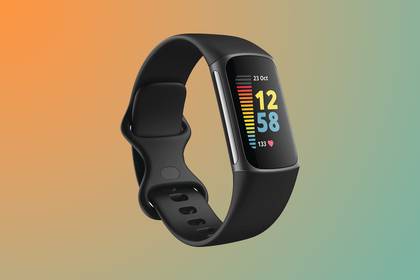
A Fitbit watch helps you track your health and activity. It shows your steps, heart rate, and sleep patterns.
To begin, you need to set up the watch and connect it to the Fitbit app on your phone.
Setting Up Your Fitbit Watch
Start by turning on your Fitbit watch. Press and hold the button until the logo appears.
Follow the on-screen instructions to choose your language and connect to Wi-Fi if needed.
- Charge your watch before setup for better battery life.
- Wear the watch snugly on your wrist.
- Make sure your phone’s Bluetooth is on.
Syncing With The Fitbit App
Download the Fitbit app on your smartphone from the app store. Open the app and log in or create an account.
Use the app to pair your watch by following the instructions. Syncing updates your activity and health data.
- Keep your phone near the Fitbit watch during syncing.
- Sync regularly to get the latest data.
- Turn on notifications in the app if you want alerts on your watch.
Customizing Watch Settings
You can change watch faces and adjust settings to fit your needs. This makes your Fitbit more personal.
Use the Fitbit app or the watch screen to change settings like brightness and notifications.
- Select a watch face that you like from the app.
- Set daily goals for steps or calories.
- Choose which notifications you want to receive.
- Adjust screen brightness for better visibility.
Tracking Daily Activity
A Fitbit watch helps you track your daily activity easily. It shows your steps, calories, and active minutes.
Knowing your daily activity helps you stay healthy and meet your fitness goals.
Monitoring Steps And Distance
Your Fitbit counts every step you take during the day. It also measures the distance you walk or run.
Check the steps and distance on your watch screen or in the Fitbit app to see your progress.
- Steps count daily movement
- Distance shows how far you go
- Set step goals to stay motivated
Tracking Calories Burned
Your Fitbit estimates calories burned from your activity and body data. This helps you manage your energy use.
Calories burned include steps, exercise, and even resting energy use to give a full picture.
- Calories burned track your energy use
- Helps with weight control
- View calories on watch or app
Using Active Minutes Feature
Active minutes show how long you spend doing moderate to intense activity. This helps improve your fitness.
Fitbit counts active minutes automatically when you move faster than a normal walk.
- Active minutes track exercise time
- Aim for at least 30 minutes daily
- Check progress on your watch or app
Heart Rate Monitoring
The Fitbit watch tracks your heart rate throughout the day. It helps you understand your fitness and health better.
Using heart rate data can guide your workouts and daily activities for better results.
Enabling Continuous Heart Rate Tracking
To get accurate heart rate data, turn on continuous heart rate tracking on your Fitbit. This lets the watch measure your pulse all day.
Open the Fitbit app, find your device settings, and enable heart rate tracking. Your watch will then collect data automatically.
Understanding Heart Rate Zones
Heart rate zones show how hard your heart is working. Fitbit uses zones to help you track workout intensity.
- Resting Zone: Your heart rate when you are calm.
- Fat Burn Zone: Moderate effort for burning fat.
- Cardio Zone: Higher effort to improve heart health.
- Peak Zone: Maximum effort for intense exercise.
Knowing your zones helps you train smart and avoid overexertion.
Using Heart Rate Data To Improve Workouts
Check your heart rate during workouts to keep the right intensity. Fitbit shows your zone in real time.
Adjust your pace to stay in your target zone for best results. Use the data to track progress over time.
- Warm up in the Resting or Fat Burn zone.
- Exercise in the Cardio zone to build endurance.
- Use the Peak zone for short bursts of effort.
- Cool down to lower your heart rate safely.
Sleep Tracking And Analysis
Fitbit watches help track your sleep automatically. They record how long and how well you sleep every night.
Using this data, you can learn about your sleep habits and find ways to improve your rest.
Wearing Your Fitbit For Sleep
Wear your Fitbit snugly on your wrist while you sleep. It should not be too tight or loose.
Make sure the watch stays on all night to get accurate sleep data. Charge it before bed if needed.
- Wear the watch on your non-dominant wrist for comfort
- Keep the sensor area clean and in contact with skin
- Remove any screen protectors that block sensors
- Charge your Fitbit during the day to avoid night interruptions
Interpreting Sleep Stages
Fitbit tracks different sleep stages: light, deep, and REM sleep. Each stage has a role in rest and recovery.
Light sleep helps your body relax. Deep sleep repairs muscles. REM sleep supports brain functions like memory.
- Light Sleep:Easy to wake up, body starts resting
- Deep Sleep:Hard to wake up, body heals and grows
- REM Sleep:Dreams happen, brain processes information
Improving Sleep Quality With Data
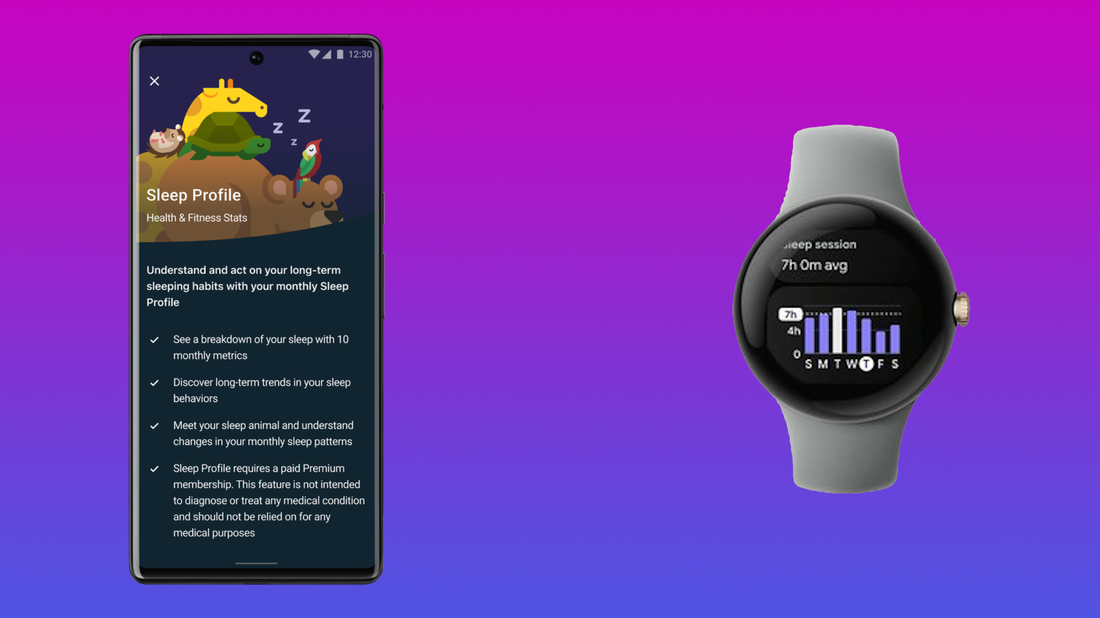
Use Fitbit’s sleep reports to see your sleep patterns over time. Spot trends and habits that affect your rest.
Try changing your bedtime, reducing screen time, or adjusting your room’s temperature based on your data.
- Set a consistent sleep schedule
- Limit caffeine and heavy meals before bed
- Keep your bedroom dark and quiet
- Avoid screens 30 minutes before sleeping
- Use Fitbit’s reminders to stay on track
Workout Modes And Exercises
The Fitbit watch helps you track your workouts easily. It has different workout modes to match your exercise.
Using the right mode improves your tracking and gives better results. Let’s look at how to use these features.
Selecting Workout Modes
Fitbit has many workout modes like running, biking, and swimming. You can pick the mode before you start.
Choosing the correct mode helps Fitbit track the right data for your workout. This includes calories burned and heart rate.
- Open the Fitbit app on your watch
- Scroll to find the workout modes
- Select the activity you will do
- Tap to start the workout
Using Gps For Outdoor Activities
GPS on Fitbit tracks your route and distance during outdoor workouts. It works for running, biking, and hiking.
Make sure GPS is turned on before you start. This helps get accurate maps and pace details.
- Go to the workout mode on your watch
- Turn on GPS if available
- Start your outdoor activity
- View your route and stats after the workout
Tracking Specific Exercises
Fitbit can track many exercises like yoga, weights, and swimming. Each exercise mode records different data.
Tracking specific exercises helps you see your progress and improve over time.
- Choose the exact exercise mode on your watch
- Start the session before you begin
- Follow your workout as usual
- Check the detailed stats after you finish

Credit: diylifetech.com
Using Smart Features
Fitbit watches have many smart features. These features help you stay connected and active.
Using these features is easy and makes your daily tasks simpler.
Setting Notifications And Alerts
You can get call, text, and app notifications on your Fitbit watch. This helps you see alerts without checking your phone.
To set notifications, open the Fitbit app on your phone. Choose your watch and select the notifications option. Turn on the alerts you want.
- Enable call alerts to see incoming calls
- Turn on message alerts for texts and apps
- Set silent mode for quiet times
Controlling Music Playback
You can control your phone’s music from your Fitbit watch. Play, pause, skip, or rewind songs easily.
Connect your watch to your phone via Bluetooth. Open the music control app on your watch to start.
- Play or pause music with a tap
- Skip to the next or previous track
- Adjust volume using the watch controls
Using Fitbit Pay And Apps
Fitbit Pay lets you pay with your watch. You can leave your wallet at home and pay quickly.
Many apps work on Fitbit. You can track workouts, check weather, and more right on your wrist.
- Set up Fitbit Pay in the Fitbit app under Wallet
- Add credit or debit cards securely
- Download apps from the Fitbit app store
- Use apps to get info and stay organized
Setting Goals And Challenges
Using your Fitbit watch to set goals and join challenges helps keep you active. It makes fitness fun and motivates you to move more every day.
Fitbit lets you track your progress and compete with friends or the Fitbit community. This support helps you stay on track with your fitness plans.
Creating Personalized Fitness Goals
Start by opening the Fitbit app on your phone. Go to the goals section to set daily or weekly targets. You can choose steps, calories, distance, or active minutes.
Make sure your goals match your current fitness level. Increase the goals slowly as you improve. This keeps you challenged but not overwhelmed.
- Set step goals based on your usual activity
- Choose calorie targets if you want to lose or maintain weight
- Use active minutes to focus on exercise time
Joining Challenges And Competitions
Fitbit offers many challenges you can join to stay motivated. You can compete with friends or people worldwide. Challenges often last a few days or weeks.
To join a challenge, open the Fitbit app and find the challenges tab. Pick one that fits your interests and fitness level. Accept the invite or join public challenges.
- Step challenges to see who walks the most
- Weekend warrior challenges for short bursts
- Active minutes competitions for daily exercise
Tracking Progress Over Time
Your Fitbit watch tracks your activity and syncs it to the app. You can see daily, weekly, and monthly reports. This helps you understand your fitness habits.
Use the progress charts to compare your results to your goals. Adjust your goals if needed. Tracking helps you stay focused and celebrate your achievements.
- View step counts and active minutes on charts
- Check calories burned during workouts
- See sleep quality to improve rest
Credit: screenrant.com
Maintaining Your Fitbit Watch
Taking care of your Fitbit watch helps it last longer. Proper maintenance keeps it working well every day.
Simple habits can protect your watch from damage. This guide covers charging, cleaning, and updating your Fitbit.
Charging Tips And Battery Life
Charge your Fitbit regularly to keep it ready. Avoid letting the battery fully die often.
Use the original charger or a compatible one. Unplug the charger when the battery is full to save power.
- Charge in a cool, dry place
- Keep charging contacts clean
- Close apps or features to save battery
- Turn off screen brightness when not needed
Cleaning And Care
Clean your Fitbit watch regularly to remove sweat and dirt. Use a soft cloth dampened with water.
Do not use harsh chemicals or soaps. Make sure to dry the watch completely before wearing it again.
- Remove the band and clean separately
- Check for cracks or damage often
- Avoid extreme heat or cold
- Keep away from strong magnetic fields
Updating Software And Firmware
Keep your Fitbit’s software updated for best performance. Updates fix bugs and add new features.
Check for updates in the Fitbit app. Connect your watch to Wi-Fi and keep it close to your phone during updates.
- Open the Fitbit app
- Tap your profile picture
- Select your device
- Tap “Update” if available
Frequently Asked Questions
How Do I Set Up My Fitbit Watch?
To set up your Fitbit watch, download the Fitbit app on your smartphone. Follow the on-screen instructions to pair your watch with your phone. Ensure Bluetooth is enabled. Once paired, customize your settings and preferences through the app. Make sure your watch is charged before starting the setup process.
Can I Track Sleep With Fitbit?
Yes, you can track sleep using your Fitbit watch. Wear your Fitbit to bed, and it will automatically monitor your sleep patterns. It provides insights into sleep stages, duration, and quality. Review your sleep data in the Fitbit app to improve your sleep habits and overall health.
How Do I Sync Fitbit With My Phone?
To sync your Fitbit with your phone, open the Fitbit app. Ensure Bluetooth is enabled and your watch is nearby. Tap on the device icon in the app to initiate syncing. Your Fitbit will automatically sync data when connected, updating your activity, sleep, and health metrics.
How Do I Update My Fitbit Watch?
To update your Fitbit watch, open the Fitbit app on your smartphone. Ensure your watch is nearby and connected. Tap on the device icon and follow the update prompts. Keeping your Fitbit updated ensures you have the latest features and improved performance for optimal usage.
Conclusion
Using a Fitbit watch helps track your daily steps and health easily. It keeps you motivated to move and stay active every day. You can check your heart rate, sleep, and workouts right on your wrist. The watch syncs with your phone to show detailed info.
Small changes add up to better health over time. Start with simple goals and watch your progress grow. Enjoy the journey to a healthier you with your Fitbit watch.


